Source document and approval register

Record each source-document version, its intended use and the review decision before relying on it in a reporting handover. This register keeps the source location, coverage, access check and approval record together, while retaining superseded versions as part of the trail.
The editable workbook contains a blank 60-row Source register, a separate Fictional example and a field-by-field Read me. Amber cells are inputs and pale green cells contain formulas. All supplied documents, owners, dates and approval records are invented teaching examples.
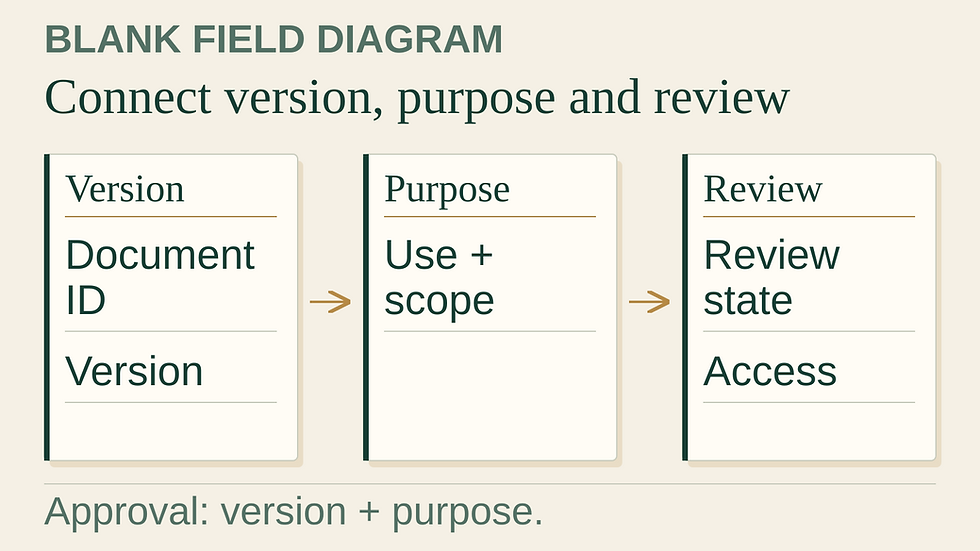
Use a version record rather than a file-name shortcut
A document family can have several versions. Give the family one Document ID and each version its own Version record ID. Record the version label exactly as supplied, then keep the title, publisher or accountable source owner and controlled location alongside it. Include a precise page, schedule or record locator where useful.
Mark a row Current only after deciding that it is the version to use for the recorded purpose. Keep the earlier row as Superseded with a reason or reference. The workbook flags a duplicate document-version pair and more than one Current row for the same Document ID. It does not inspect a folder or determine the latest version automatically.
Make the approval specific
Describe the entity or site coverage and select Duration, Point in time or Not period specific. Complete only the dates appropriate to that basis.
Record the actual date the source was received or retrieved. Once a row is no longer Draft, a source location and received date are required.
State the intended use and approval scope. A source approved for one reporting period or purpose should not silently carry that approval into another use.
Record the human review state. Any started review needs a reviewer role, actual review date and retained decision reference.
Record access and use restrictions separately. Accessible means an authorised person checked access; it does not grant permission to share the source.
Add a next-review date or approval-valid-to date when the applicable process uses one. Keep a reason or action for pending and non-current records.
Fictional example: the same document, two versions
The example contains EX-D01 version v1 and version v2. Version v1 is retained as Superseded. Version v2 is Current, Accessible and Approved for its stated internal use. The approval fields refer to v2 itself; they are not copied from v1 by a formula.
Another Current document is still under review and has Restricted access. Its use position remains Access unresolved. A fourth document has an approval valid only through 15 April 2026, while the register’s fixed as-of date is 20 April. It therefore shows Approval expired. All four rows remain visible rather than being removed from the record.
Interpret the checks without overstating them
Ready for recorded purpose requires a valid Current row, Accessible access review and Approved review state, with no expired approval or due review date. A valid-to date remains valid through that date; a next-review date equal to as-of is already due. The countdown is next review date minus as-of, so zero means today and a negative value means overdue.
That position describes entered records. The workbook does not authenticate the document, inspect its contents, establish legal retention requirements, grant access or authorise publication. Prior-version references are informational, and the tool does not traverse or validate a version graph.
The GHG Protocol Corporate Standard’s inventory-quality guidance discusses documentation, archiving and feedback procedures. It provides useful context for maintaining a record trail. The fields and statuses in this register are original Nitium working conventions.
Download and maintain the working copy
Numeric, date and sequence inputs accept literal numbers and formulas returning numbers. Logical TRUE/FALSE results, text numbers and error results are invalid. Keep the General base input formats and paste values only. For dates, use =DATE(year,month,day) or paste numeric date serials; conditional formatting supplies the date display. Typing localized dates or pasting source formats can replace General and undermine logical-value checks in the tested Calc build. Restore original input formats before using the results. Formula-generated empty text is permitted only where the field may be blank; it does not mean zero or not applicable.
The XLSX supports 60 rows, 15–74. Dropdown labels are case- and whitespace-sensitive, and pasted entries still pass through formula checks. Missing dates remain blank; numeric zero is not a valid date. The workbook contains no macros or external data connections. Keep confidential sources in controlled storage and share only authorised material.
Extend every table, formula, validation and summary range together before increasing capacity. Artifact calculation tests and cache-cleared, disposable headless LibreOffice recalculation tests were performed. Native PDF rendering is a file-display check, not desktop interaction. Desktop/UI and Microsoft Excel testing remain unperformed. Independent acceptance and live publisher checks are separate gates.
Prepare the next reporting handover
Use the source register alongside a metric-level evidence index, rather than replacing one with the other. For the structure and access questions around a review pack, read the evidence-folder handover guide.
Nitium Advisory supports BRSR disclosure mapping, data requests, gap tracking and draft reporting within an agreed scope.
Version 1.0.1. Prepared 6 October 2026. This optional aid does not determine legal applicability, assessment or assurance. AI-assisted preparation; no independent professional sign-off is claimed.


Comments